Gigadat Casino App: there isn't one, and you don't need it
Gigadat doesn't make an app for players. On a phone, an Interac® casino payment runs through the casino's app or mobile site and your own banking app. Here's how deposits, Request Money and payouts work.

18+ in Alberta, Manitoba and Québec · 19+ elsewhere in Canada · Play responsibly
Is there a Gigadat app?
No. Gigadat Solutions Inc. is a payment processor that works behind the casino's cashier. Its website, gigadatsolutions.com, has no download link and no player sign-in, so there's nothing to install and no Gigadat account to open.
We checked rather than assumed. On 1 November 2026 we searched the Canadian App Store for "gigadat" through Apple's own search API: 21 apps came back, none published by Gigadat.
Treat any "Gigadat app" as a red flag. If a site, ad or text offers a Gigadat app, an APK file or a "payment helper" you supposedly need to deposit or get paid, it isn't from Gigadat and may be built to capture your banking login. Don't install it. If you've already typed bank details into one, call your bank.
- What we searched
- "gigadat" in the Canadian App Store
- Result
- 21 apps, none from Gigadat
- Gigadat's website
- No download, no player sign-in
- Checked
- 1 November 2026
The two apps you'll actually use
One to start the payment, one to move the money, and your inbox in between.
Cashier
Where you choose Interac, enter the amount, copy the unique ID and request withdrawals, in a store app or the mobile site.
e-Transfer
Where the money moves: you send the transfer, approve a Request Money or deposit a payout. Your login stays with your bank.
387263
Request Money links, withdrawal confirmations, the payout security answer and Interac notifications land here.
Deposit by Interac e-Transfer® on your phone
On a phone you hop between two apps, so copy first and switch second:
- 1
Open the casino's cashier, choose Interac e-Transfer® and enter the amount in Canadian dollars.
- 2
Copy the unique ID. The window shows the recipient (Gigadat), an email address or phone number, the amount and a unique ID. Long-press the ID to copy it and leave the window open.
- 3
Switch to your banking app without closing the casino, and add Gigadat as a recipient using exactly the email or number shown.
- 4
Send exactly that amount and paste the ID into the message field. It's easy to scroll past on a small screen, and it's how Gigadat matches the money to you. Don't add anything to it.
- 5
If your bank asks for a security question, copy the answer from the casino window. The question can be anything; the answer must match exactly.
Gigadat says most e-Transfers arrive almost instantly or within 30 minutes, depending on the bank, though one can sometimes take up to a business day. To check on it, enter the ID from the Message section at gigadatsolutions.com/e-transfer-status.
Request Money on mobile
With Interac e-Transfer® Request Money you type no recipient details. Pick the amount, confirm your email and mobile number, and a text or email arrives: "Interac e-Transfer®: Gigadat sent you a request for money".
- 1
Tap the link in the text or email and select your financial institution, or decline.
- 2
Sign in on your bank's own login page, choose the account and confirm.
- 3
Email or print the receipt if you want one, then tap the button back to the casino.
The request expires if it isn't completed within 48 hours. Some banks temporarily hold a Request Money payment even after you accept it; if the balance doesn't update, ask your bank to release it. Only tap a request you just started yourself.
Withdrawals on mobile
Getting paid needs no extra app either. You request the withdrawal in the casino and Gigadat emails a confirmation. When the payout is processed, a security answer is sent separately, by text only from short code 387263 and by email. Then the Interac e-Transfer® notification arrives: open it, choose your bank and deposit the money.
Copy the answer rather than retyping it: long-press the text, copy, switch to your bank, paste. Three wrong answers cancel the e-Transfer, the money goes back to the casino, and you have to request a new withdrawal.
No text or email? Check the email and mobile number in your casino profile. If either is wrong, the transfer is cancelled and the money returns to the casino; contact the casino to start again. Our sign-up guide covers getting those details right.
What to expect after you cash out
- Real-time payout
- 15–30 min typical, 24/7
- From when the casino sends it for processing. Wrong contact details or network issues can still delay it.
- Standard payout
- Next business day
- Monday to Friday, no weekends or bank holidays. Requests outside those hours wait for the next business day.
- Autodeposit
- No security question
- Supported by most financial institutions. Turn it on in your bank's Interac e-Transfer® settings and payouts deposit automatically.
The casino's own approval comes first and isn't included in these timings. Source: Gigadat FAQ, read 1 November 2026.
Casino app or browser?
Either works with Gigadat, because the payment never happens inside the casino. The differences below are general patterns, not rules.
| Question | Store app | Mobile browser |
|---|---|---|
| Where it comes from | App Store or Google Play, under the operator's developer name | The casino's web address, typed in or bookmarked |
| What you install | The app, plus updates through the store | Nothing, or an optional home-screen icon |
| Who tends to offer it | Often regulated Ontario and Alberta brands | Casinos with or without an app; many offshore sites offer only this |
| Interac deposit | Copy the ID, switch to your banking app, come back | Copy the ID, switch to your banking app, come back to the tab |
| Gigadat's part | Unchanged | Unchanged |
Add a casino to your iPhone home screen
- 1
Open the casino's site in Safari, typing the address yourself.
- 2
Tap Share. On newer iOS versions it can sit under the ••• menu.
- 3
Choose Add to Home Screen, then tap Add.
Add a casino to your Android home screen
- 1
Open the casino's site in Chrome, typing the address yourself.
- 2
Tap the three-dot menu in the top corner.
- 3
Choose Add to Home screen or Install app, then confirm.
The icon is a shortcut to the same website, not a download: you sign in as usual and the Interac steps don't change.
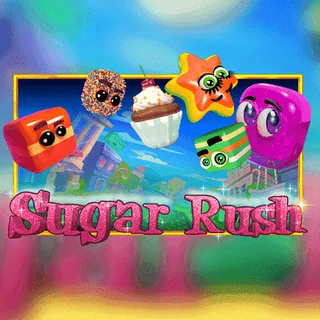
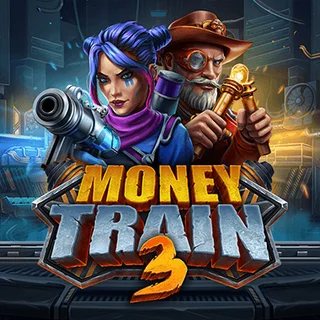
Popular slots that play in a mobile browser
Well-known titles built to run on a phone, in an app or a browser tab. Gigadat has no say in which games a casino carries; availability depends on the casino and your province.


Phone security for casino payments
Your phone holds your banking app and the inbox where payout answers arrive. None of the steps on this page needs anything extra installed, so a request to install something is itself the warning sign.
Never type a bank or casino password into a third-party page, including one "verifying" a Gigadat payment. Our login guide explains which sign-ins are real.
Keep your phone and banking app updated. Updates carry security fixes.
Lock the banking app with Face ID, a fingerprint or a PIN, and turn on two-factor authentication for your casino account if it's offered.
Don't sideload APKs. Skip casino or "payment" apps offered as a file outside Google Play, and leave Android's "install unknown apps" switched off.
Only trust security-answer texts from 387263. Ignore links from any other number or email.
Watch for look-alike links. Open the casino from your bookmark or home-screen icon, not from a link in a text or ad.
Keep your casino profile current. New number or email? Update the casino too, or the payout answer goes somewhere you can't see it.
Frequently asked questions
Is there a Gigadat app?
No. On 1 November 2026 a search of the Canadian App Store for "gigadat" returned 21 apps, none from Gigadat, and Gigadat's website offers no download. Anything presented as a Gigadat app or APK isn't from Gigadat; don't install it.
Can I deposit with Interac on my phone?
Yes, if the casino's cashier offers it. Choose Interac e-Transfer®, copy the unique ID, switch to your banking app, send the exact amount to the email or number shown and paste the ID into the message field. With Request Money you approve the request in your bank instead.
Do I need to download anything to get paid?
No. A Gigadat payout is an ordinary Interac e-Transfer® you deposit in your own bank. The security answer comes by text from 387263 and by email; paste it, because three wrong answers cancel the transfer. With Autodeposit there's no question at all.
Why did my Request Money text expire?
A Request Money deposit has to be completed within 48 hours of being created; after that it expires and you start a new one from the cashier. If you accepted it but the balance hasn't moved, your bank may be holding it. The casino can also cancel a request.
Is a casino app safer than the mobile site?
Not automatically. An official app and the mobile site normally come from the same operator under the same licence, and the Interac payment happens in your bank either way. What matters is the licence, and reaching the real thing: the official store listing, or a site you typed or bookmarked.
Play responsibly.
Gambling should stay entertainment, not income. Your bank's e-Transfer limit is not a budget, so set a deposit limit inside the casino account too. If it stops being fun, free and confidential help is available across Canada: